Manage Venues: Centralize, Promote, and Optimize Your Event Locations
Efficient venue management is essential for seamless event planning and a superior attendee experience. With Webworks Co , organizers can add, manage, and showcase multiple venues, making it easy to link venues to events, boost discoverability, and streamline operations—whether you manage a single space or a portfolio of locations.
Why Use Venue Management Tools?
Venue management is ideal for:
- Multi-Event Organizers: Manage a portfolio of venues for different event types and audiences.
- Venue Discovery: Help attendees and organizers find the perfect location with detailed listings and filters.
- Venue Marketing: Showcase venue features, images, and amenities to attract more bookings.
- Request for Quote & Inquiries: Streamline communication between organizers and venue managers.
- Consistent Event Creation: Quickly link saved venues to new events for efficiency and accuracy.
- Integration with Maps & Calendar: Enable directions, calendar sync, and real-time updates.
{primary} Pro Tip: Use venue management features to save time, boost bookings, and deliver a professional experience for both organizers and attendees.
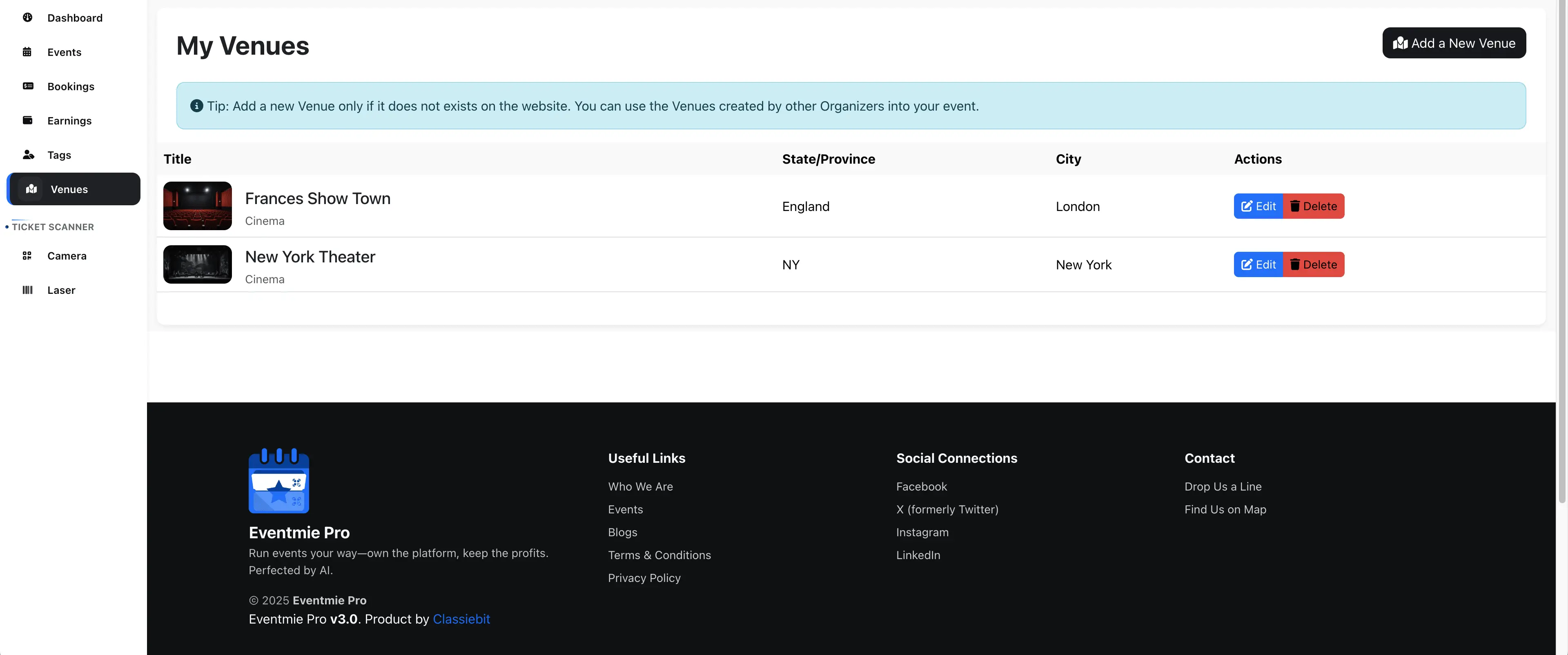
Google Autocomplete
With Google Places Autocomplete integration, you can quickly search for venues and add accurate real-world locations to your venue listings. This ensures your event attendees can easily find the venue using Google Maps. See how to setup Goolgle Places Autocomplete option here- (Setup Google Places Autocomplete).
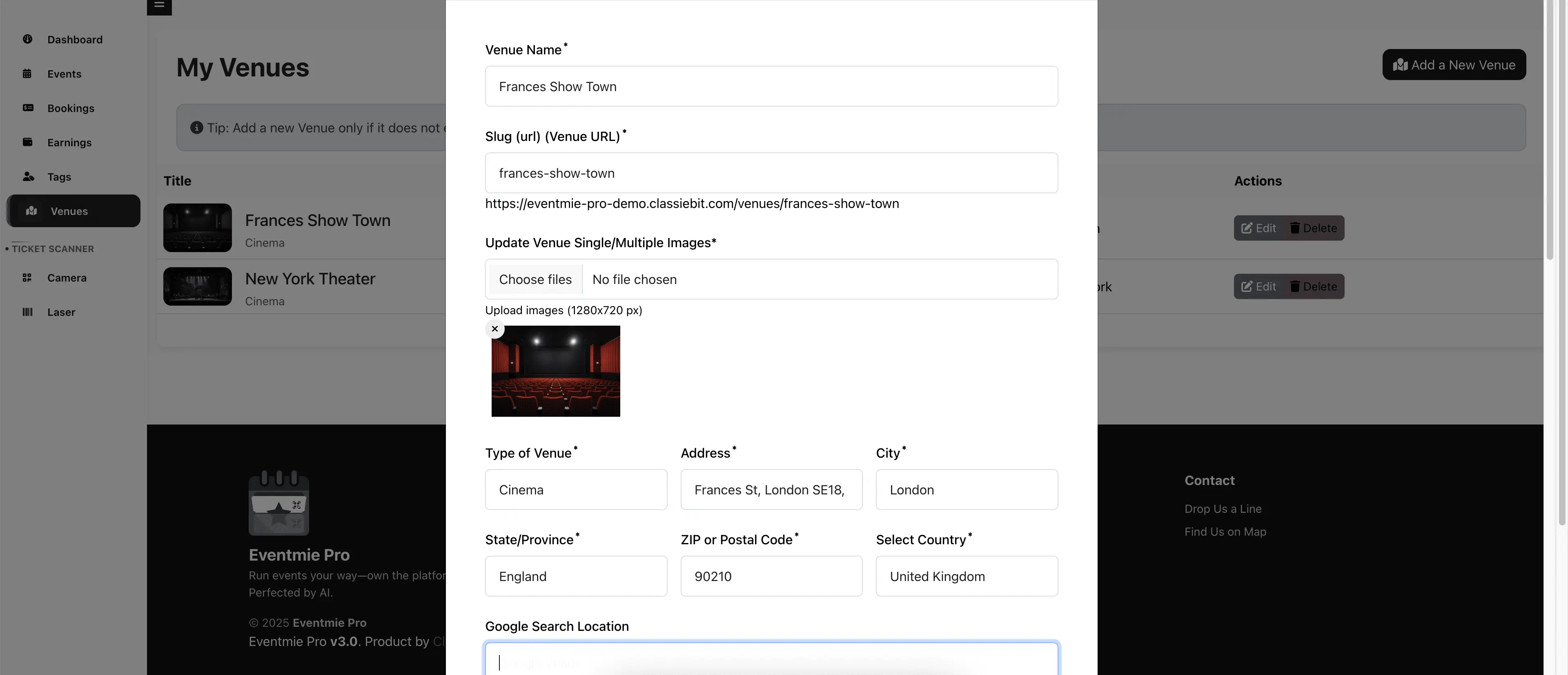
{success} Best Practice: Use high-quality images and complete descriptions to make your venue stand out.
Add Venue To Event
When setting up an event, simply select the event location from your list of saved venues for fast and consistent event creation.
- Avoid manual entry errors and ensure all event details are accurate.
- Easily update venue details across all linked events.

Browse Venues
Browse and filter through all available venues to find the perfect location for your event. Venue listings make it easy for organizers and attendees to explore options based on location, capacity, amenities, and more.
.webp "2-venue-listing")
{success} Best Practice: Use filters and tags to help users quickly find venues that match their needs.
Venue Page
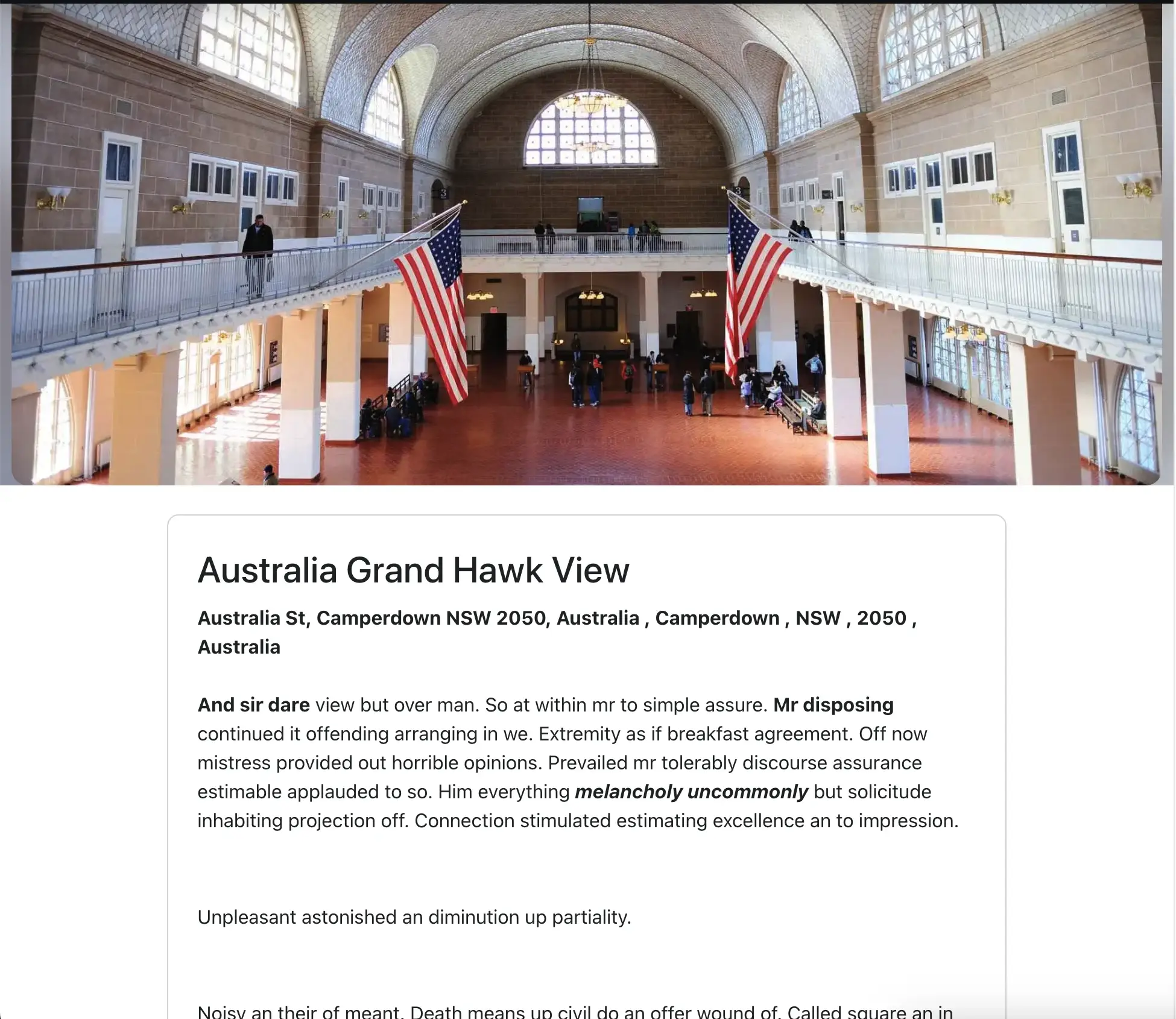
Each venue has a dedicated detail page displaying all relevant information, including a Request for Quote form for inquiries. This helps event organizers and attendees connect with venue managers directly, streamlining the booking process.
Best Practices & Pro Tips
- Keep Venue Details Updated: Regularly update images, amenities, and contact info for accuracy.
- Promote Accessibility: Include accessibility features and directions for all attendees.
- Integrate with Maps: Ensure all venues are easily discoverable via Google Maps and mobile devices.
Troubleshooting & FAQ
Q: Why isn't my venue showing up in search or filters? A: Ensure all required fields are filled and the venue is published.
Q: How do I update a venue's location or details? A: Edit the venue from your dashboard and save changes.
Q: Can I link a venue to multiple events? A: Yes, venues can be linked to as many events as needed.