{success} This Feature only available in Webworks Co FullyLoaded
Ratings & Reviews (FullyLoaded)
Webworks Co FullyLoaded empowers you to collect, display, and analyze attendee ratings and reviews—building trust and improving your events with real feedback.
- Attendee Feedback:
- Collect ratings and written reviews from attendees after each event
- Enable or disable reviews per event
- Moderation & Control:
- Approve, edit, or remove reviews before they appear publicly
- Filter out spam or inappropriate content
- Display Options:
- Show average ratings and selected reviews on event pages
- Highlight top feedback for marketing
- Analytics & Insights:
- Analyze trends in attendee satisfaction
- Export review data for reporting
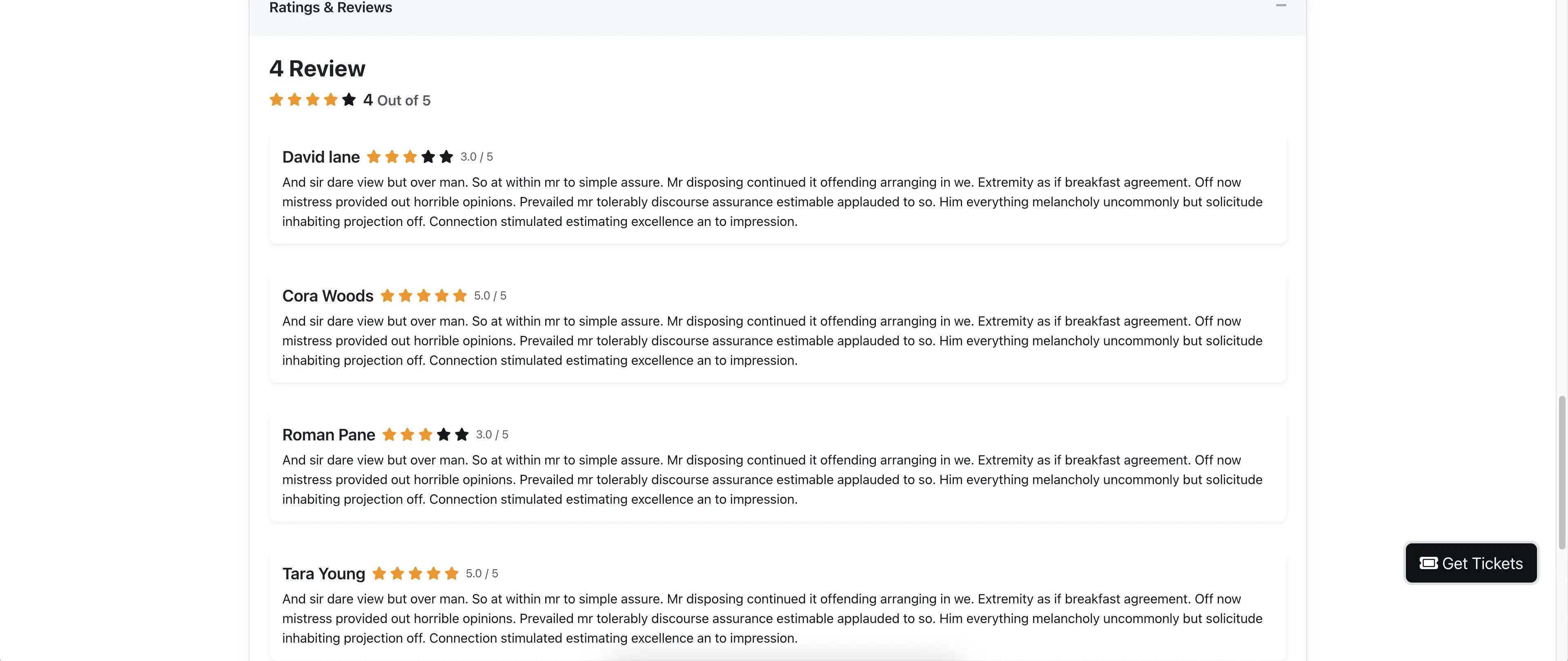
How to Enable Rating & Review for Events
- Go to Event Edit Page -> Details tab.
- Check the Rating & Review checkbox to enable this feature.
- You can check/uncheck it anytime to enable or disable ratings and reviews for the event.

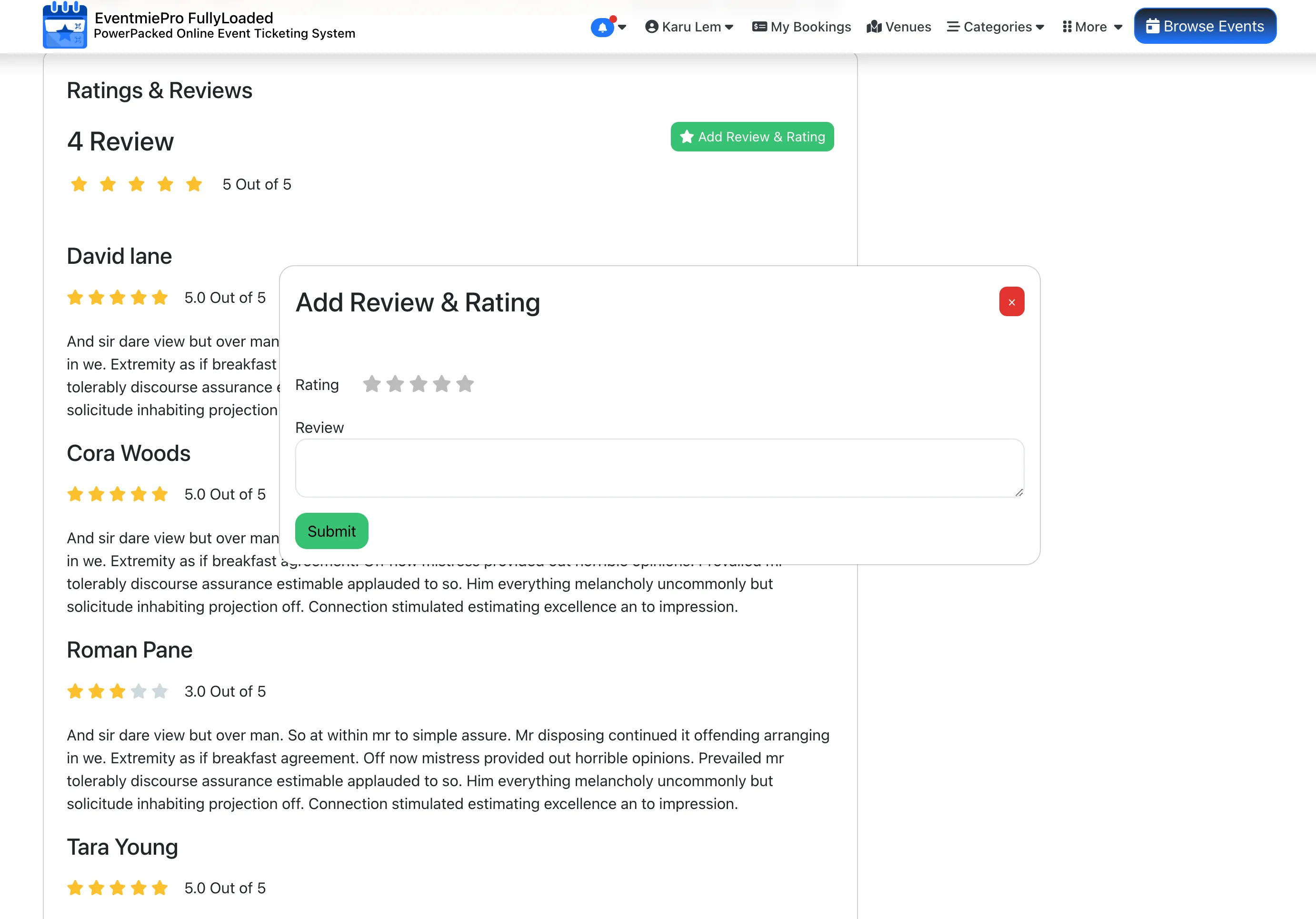
How Attendees Add Ratings & Reviews
Only customers who have purchased at least one ticket for an event can add a rating and review from the event page.
- After purchasing a ticket, the customer goes to the Event page.
- Scroll down to the Rating & Review section and click Add Rating & Review.
- Select a rating, write a review, and click Submit.
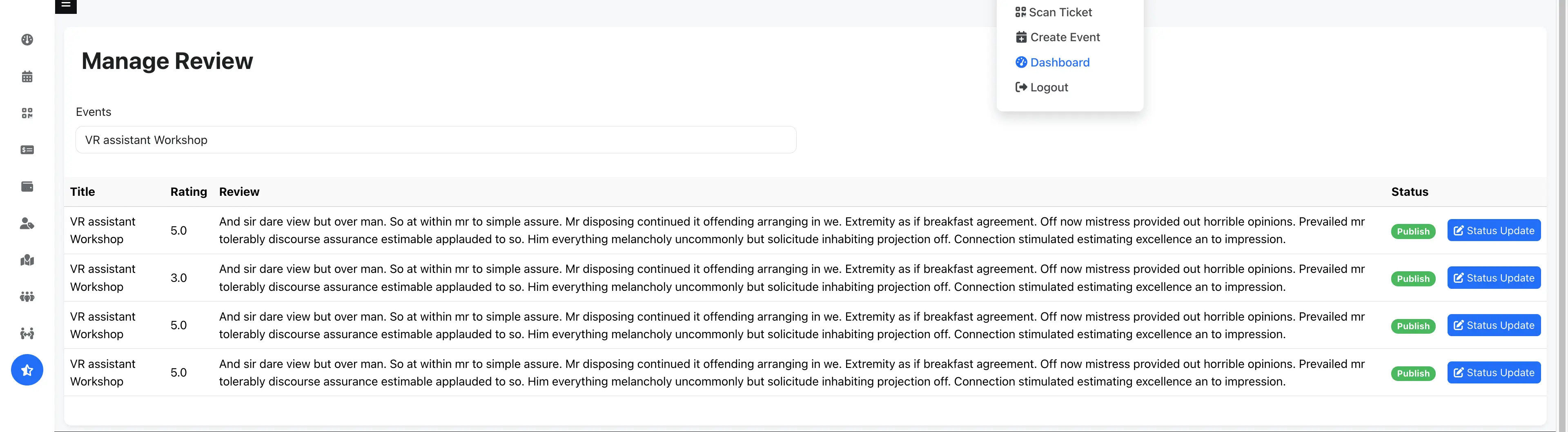
Organizer Approval: Publish or Unpublish Reviews
By default, ratings and reviews added by customers remain unpublished. The organizer must approve them by updating the status to Published. Organizers receive an email notification every time their event receives a new rating or review.
- Login as Organizer and go to Manage Reviews.
- Select the Event from the Events Dropdown.
- Click Status Update to change the review's status to Published or Unpublished.